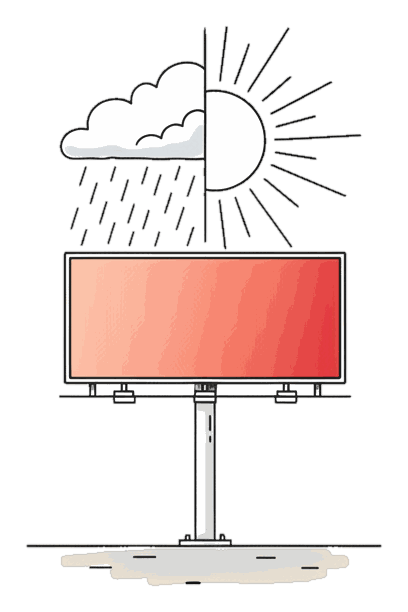
What weather and event triggers are
This is what the out-of-home industry calls dynamic creative, or dynamic creative optimization (DCO): the ad reacts to context instead of repeating one static message. The value is simple to state. A drink brand shows the iced version when it is hot and the hot version when it is cold. A retailer shows the umbrella when it rains. A team sponsor flips to a win creative the moment the match ends. None of it needs a person watching a dashboard, and none of it wastes money running the wrong message at the wrong moment, because the reactive creative only ever plays when its condition holds and only those plays are billed.
The rest of this guide shows every trigger type with a worked example, how a rule is built and billed, how this compares to how other platforms sell dynamic creative, and how the same mechanism handles live events like a game night or a festival window.
That is what makes triggers efficient at any budget: because a creative runs, and bills, only when its condition holds, every dollar buys a genuinely relevant appearance rather than filler, whether you are guarding one screen or a worldwide flight.
Every trigger, with an example
Each row is a live trigger type on Blindspot. The rule reads the data source, and when the condition is true, the screen swaps to the matching creative. Brand uses below are illustrative examples of the pattern, not attributed campaigns.
| Trigger type | Example rule | Example brand use |
|---|---|---|
| Rain and weather | If it rains, show the umbrella creative | A retailer surfaces rainwear and delivery the moment a shower starts, then reverts. |
| Temperature | Above 30C, show the cold-drink creative | A drink brand runs the iced version on hot afternoons and the hot version when it drops. |
| Air quality (AQI) | If AQI is above the threshold, show the air-purifier creative | A home-air brand promotes filters and masks only on high-pollution days. |
| Stock or crypto price move | If Bitcoin moves up 2%, show the trade-now creative | An exchange flips to a market-open message when a price crosses a set threshold. |
| Live sports score | On a home win, show the we-won creative | A team sponsor swaps to a victory message the moment the final whistle goes. |
| Custom API feed | If a feed value crosses your threshold, swap the creative | An airline shows on-time gates, or a retailer shows in-stock items, from a live feed. |
Any live API can be a trigger, so the list above is a set of common patterns, not a fixed menu. Rules are set per creative and per screen, so a single campaign can run a weather rule in one city and a price rule in another. To see the rule builder, open a free account and add a creative, or read what DOOH is for the wider picture.
How a rule works, step by step
A trigger on Blindspot has three parts, and none of them needs code. You attach the rule to a creative when you build the campaign, and the platform does the rest.
6
live trigger types, in production today
48h
to live after screen-owner approval
2
business days, typical operator approval
30%+
of a buy's waste removed by hourly scheduling
1. The condition. Pick a live data source and a test. Weather above or below a value, a temperature threshold, an AQI band, a percentage move on a stock or crypto price, a match result, or a value on a custom feed you point the rule at. A condition is a plain statement, for example "Berlin precipitation is above zero" or "temperature is above 30C". You can combine a condition with a schedule, so the rule only ever applies inside the hours you booked.
2. The creative swap. Attach the creative to show when the condition is true. Blindspot reads the live feed for each screen and swaps the ad in real time when the rule matches, then reverts when it stops matching. A creative with no rule simply plays in the normal rotation, so a campaign can mix a default message with one or more reactive creatives on the same screens.
3. You pay only for the plays that run. This is the part that makes triggers worth using rather than a novelty. Delivery and billing are per play, the cost of one ad appearance on one screen. A rain creative in a dry week never plays, so it never costs anything. A win creative that fires for ten minutes bills for the plays in those ten minutes and no more. You are never paying to keep a reactive creative on standby; you pay for the appearances the condition actually produced. That is the same per-play model Blindspot uses everywhere, applied to creatives that come and go with the weather or the score. For the wider pricing picture, see the billboard cost guide.
How other platforms handle dynamic creative
Blindspot is not the only place you can run reactive DOOH, and it is worth being clear about that. Managed and programmatic platforms have offered dynamic creative for years, so the honest question is not who invented it but how each one asks you to buy and control it.
Epom offers dynamic creative optimization as part of its ad-serving and programmatic tooling, where creatives are assembled or selected from data-driven templates and served through a demand-side path. If you are already running programmatic DOOH through a DSP, that framing fits the way you buy, and Epom is a reasonable fit for it. AdQuick, a managed marketplace, likewise supports dynamic creative on the campaigns it runs, coordinated through its planning and buying service. Both are capable, and for a large agency plan bought on CPM through a managed desk they may be exactly right.
Blindspot's model is deliberately plainer. A trigger is a rule you set yourself on a single creative, applied per screen, reading any live API source, with delivery and billing per play and no minimums or agency in the middle. You are not assembling a template or briefing a desk; you attach a condition to a creative and it runs. The trade-off is straightforward: if you want a managed programmatic pipeline, the DSP route suits you; if you want to build and control the reactive campaign yourself and pay only for the plays it produces, the per-creative rule is the more direct way. Compare the wider feature set in our DOOH platform comparison.
Triggering on live events
Weather is the trigger people ask about first, but the same mechanism is what answers the harder question: which DOOH platform can change creative based on a live event. On Blindspot the answer is the same rule, pointed at an event signal instead of a forecast.
Game day. A live sports score is a trigger type, so a sponsor can run a neutral creative through a match and swap to a win creative the instant the result lands. Near a stadium on a match night, that turns a static board into a message that reacts to the game the crowd just watched, and it runs only in that moment, so only those plays are billed.
Festival and event windows. Because a condition can combine with a schedule, you can run an event creative only across the days and hours of a festival, a conference or a sale, and let it fall back to your default the rest of the time. A custom feed can push it further, for instance swapping the message as a schedule of sessions or fixtures moves through the day.
Product-launch moments. A launch is just a threshold on a feed: a price going live, a countdown hitting zero, a stock coming back in. Point a rule at that value and the reactive creative appears the moment it is true. Combined with hourly scheduling, you get precise control over both when a creative is eligible and what live condition actually triggers it, and Blinky, the free AI planner, can draft the whole plan from a one-line brief. That is the same discipline of concentrating delivery into the moments that matter which let a worldwide tourism campaign deliver 87% more plays than planned.
A rain creative in a dry week never plays, so it never bills.
Per-play triggers, in one line